Product Updates

Greetings,
This issue's product updates, at a glance:
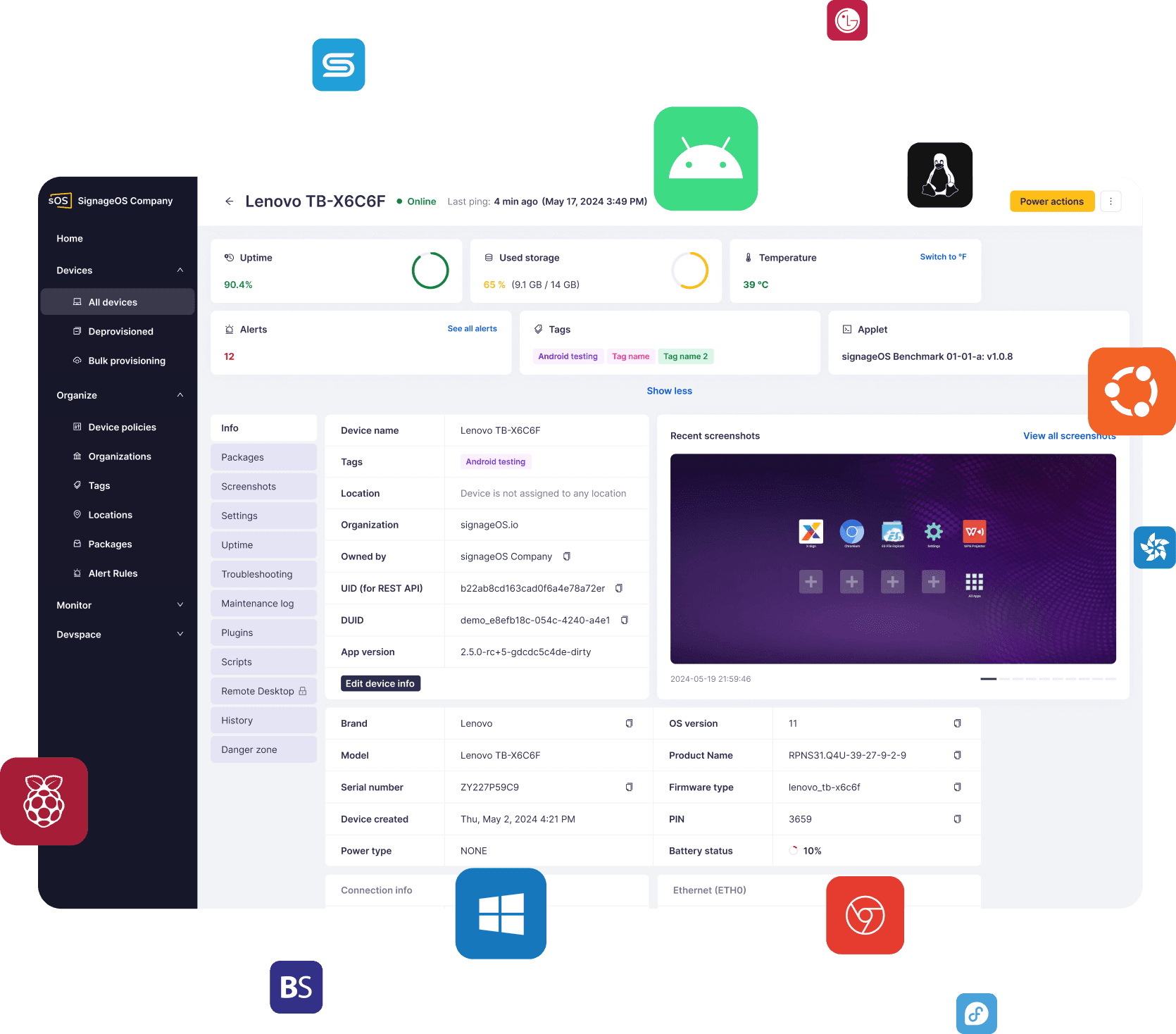
Device settings and policies — every setting in one tile view, with only what needs attention flagged
Timer validation — every timer is checked for a complete schedule, wherever it's created
Policy saves on large fleets — saving no longer waits for every assigned device
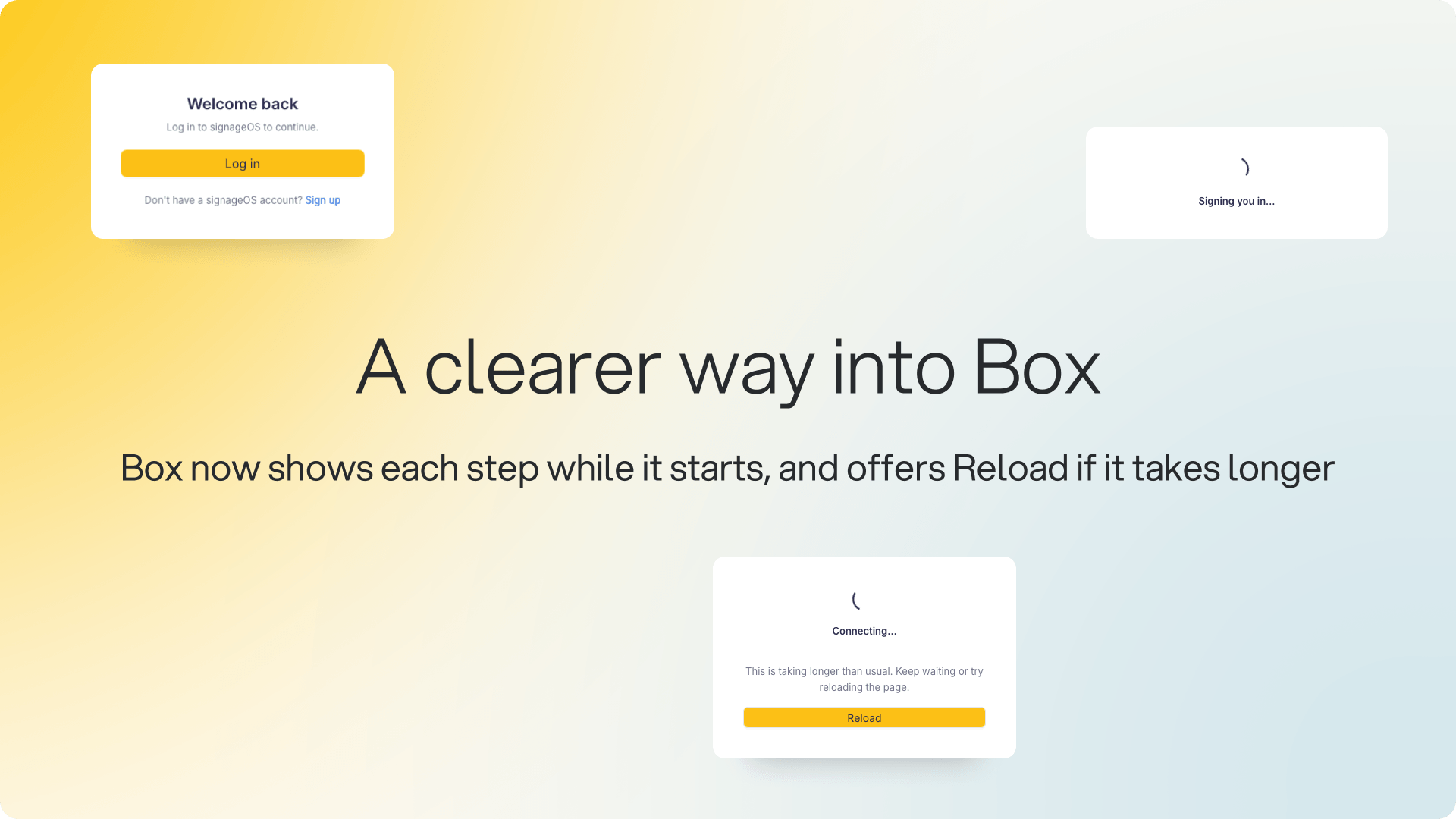
Login and loading screen — see what Box is doing while it starts, with Reload if it takes longer
Also: an IMPORTANT NOTICE about new regional network endpoints and requirements.
Also: an IMPORTANT NOTICE about new regional network endpoints and requirements.

Device settings and policies, redesigned
We've redesigned the device settings tab and the device policy detail around one tile-based view. Each setting is a tile showing its current value, and the editor opens next to it, so you can change a setting without leaving the overview.
What's new:
Only what needs attention is flagged — unsaved changes, a value still being applied, or a setting controlled by a policy
Policy shown on each setting — named and linked, with the tile's color showing whether the device complies
One Device settings tab on policies — Device universal, Device specific and Scheduled actions merged, each setting marked if the policy manages it
Why it matters: If you manage devices or policies in Box, both sections grew as settings were added. Now you can check either in one pass instead of opening each setting.

New validation for timers
We've added validation for timers. A timer with on and off times now needs at least one selected day, wherever it's created: the API, Box, bulk actions or policies. A timer without days is rejected with an error. Previously, the API accepted times with no days, which saved a timer with no day to run on. To remove a timer, send it with no days and no times, as before.
Why it matters: If you schedule screens with timers, especially through the API or policies, every timer you save now has a day to run on, so schedules behave as you set them.
Availability: Live now in Box, the REST API, bulk actions and policies.

Faster policy saves on large fleets
We've changed how policy saves work on large fleets. Changing values in a policy no longer waits for every assigned device, so it saves just as fast on a large fleet as on a small one. Devices still receive the change in the background, as before.
For API users: if the platform can't confirm a change in time, PUT /v1/policy/{policyUid} now returns 504 with its own code, 504004, instead of a generic 500. The change may still have been saved, so read the policy before retrying.
Why it matters: If you manage policies across large fleets, edits save without waiting on the rollout, and the API tells you exactly what a timeout means.
Availability: Live now in Box and the REST API.
A new login and loading screen for Box
We've rebuilt the screens you see on the way into Box. While Box loads, it now names each step, so you always know where it is.
What's new:
Step-by-step loading — connecting, preparing your workspace, checking your session, loading your account
Reload and Sign out — shown when loading takes longer than usual
Clear messages — if something needs your attention, Box shows what happened
A cleaner login page — matching the sign-in step that follows, and on white-label Box, both screens use your own colors and logo
Why it matters: If you use Box, you can see at a glance where it is in loading, and act with one click if it needs a reload.

⚠️ IMPORTANT NOTICE ⚠️
New regional network endpoints and requirements
New regional device gateways are being rolled out to improve the platform's performance, reliability, and scalability.
All devices will now connect through these regional gateways. If you haven't already updated your network and firewall configuration to allow the required regional endpoints, please do so as soon as possible to avoid connectivity issues.
If you have any questions or need help preparing your environment, contact the signageOS Support team.