Product Updates

Greetings,
This issue’s product updates, at a glance:
Device clock check — know instantly when a device's clock has drifted or is in the wrong timezone
A faster Scripts tab — expand any script inline to see its result, history, and parameters
Also: an IMPORTANT NOTICE about new regional network endpoints and requirements.
For more updates on the latest features, please check our Changelogs.
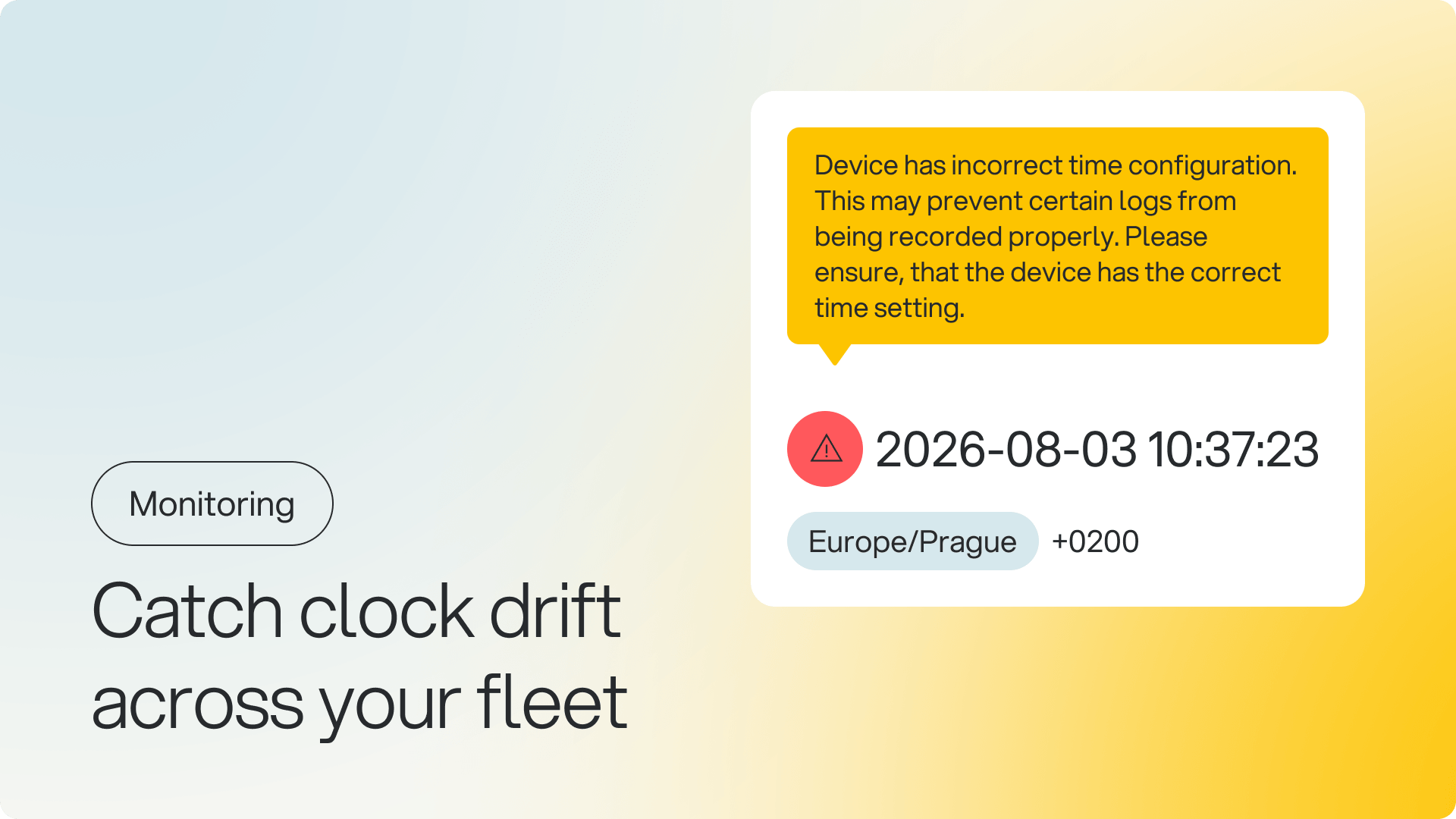
Know instantly when a device's clock is wrong
We've added an incorrectTime flag that tells you whether a device's clock has drifted more than 10 minutes or landed in the wrong timezone. It's available in the Device API response, in DATETIME telemetry, and visually in Box.
What you can do now:
Filter your fleet by incorrect time through the API, to find problematic devices quickly
Track the history of time issues per device, to spot recurring problems
Trust the warning icon in Box: it now uses accurate server-side detection instead of a rough browser-based estimate
Why it matters: Until now, there was no way to check a device's clock programmatically. You had to notice it by hand, or hope the Box UI caught it. Now you can detect time drift across your whole fleet and filter the affected devices in a single API call.
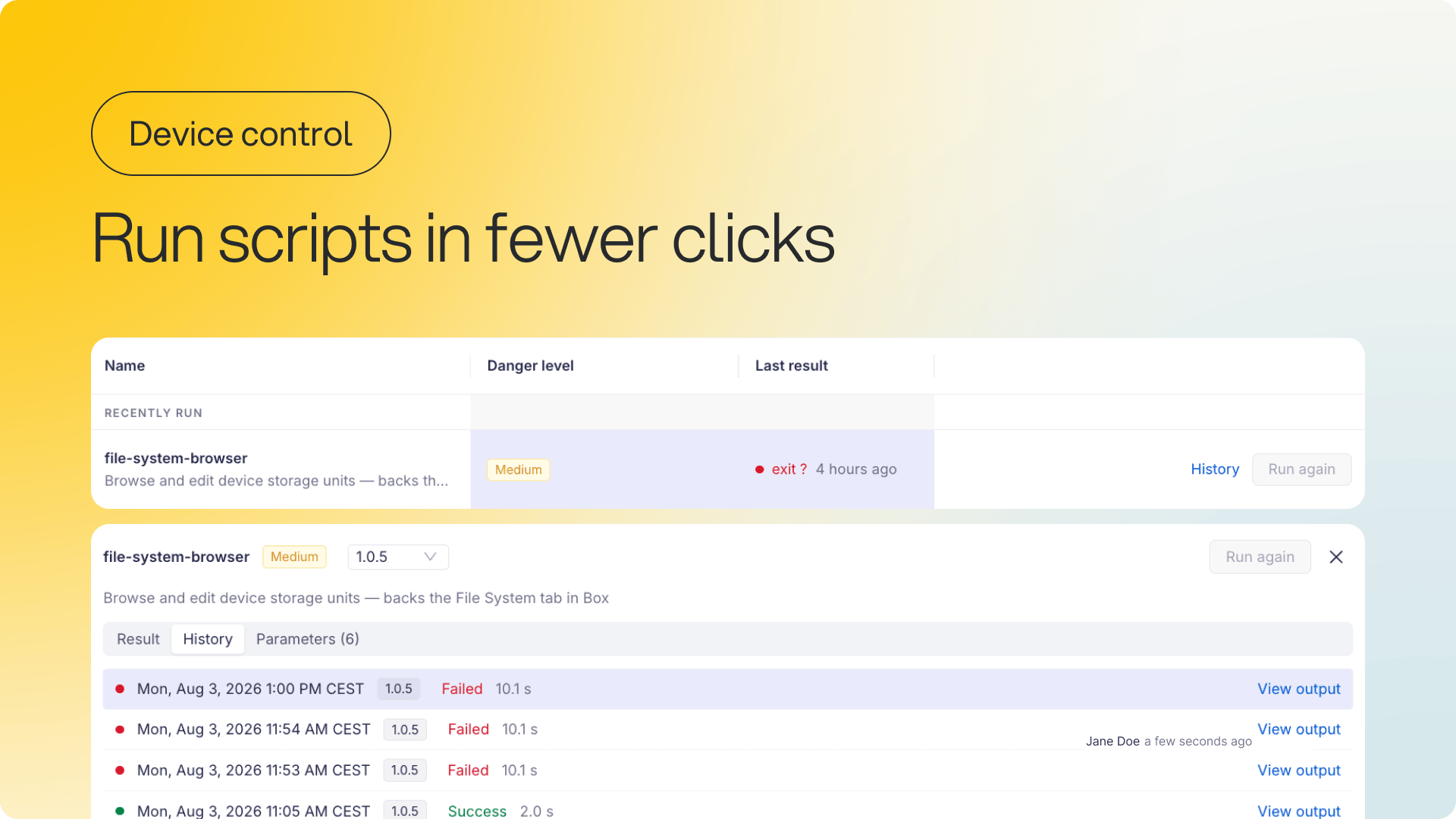
A faster Scripts tab, with fewer clicks
We've rebuilt the Scripts tab on the device detail page around inline, expandable rows. Click any script and its result, history, and parameters open right there on the page.
What's new:
Inline detail panel — expand a script row to see its result, execution history, and parameters without leaving the tab
Live updates — results refresh automatically while a script runs, with a toast notification when it completes
Run again in one click — re-run a script with the same parameters as last time, with no extra steps
Recently run group — your most-used scripts stay pinned at the top
Search and danger-level filter — find the script you need quickly
Why it matters: Whether you're running diagnostics, applying config changes, or troubleshooting, it now happens in one place without losing context. Less navigating, more doing.

⚠️ IMPORTANT NOTICE ⚠️
New regional network endpoints and requirements
New regional device gateways are being rolled out to improve the platform's performance, reliability, and scalability.
All devices will now connect through these regional gateways. If you haven't already updated your network and firewall configuration to allow the required regional endpoints, please do so as soon as possible to avoid connectivity issues.
If you have any questions or need help preparing your environment, contact the signageOS Support team.