Product Updates

This edition's product updates, at a glance:
CoreApp & firmware picker: paste and deploy any specific version, no special access needed.
Device plan history: a full audit trail of who changed a device plan, and when.
Content Guard templates: pre-built, pre-tested detection rules you can apply in one click.
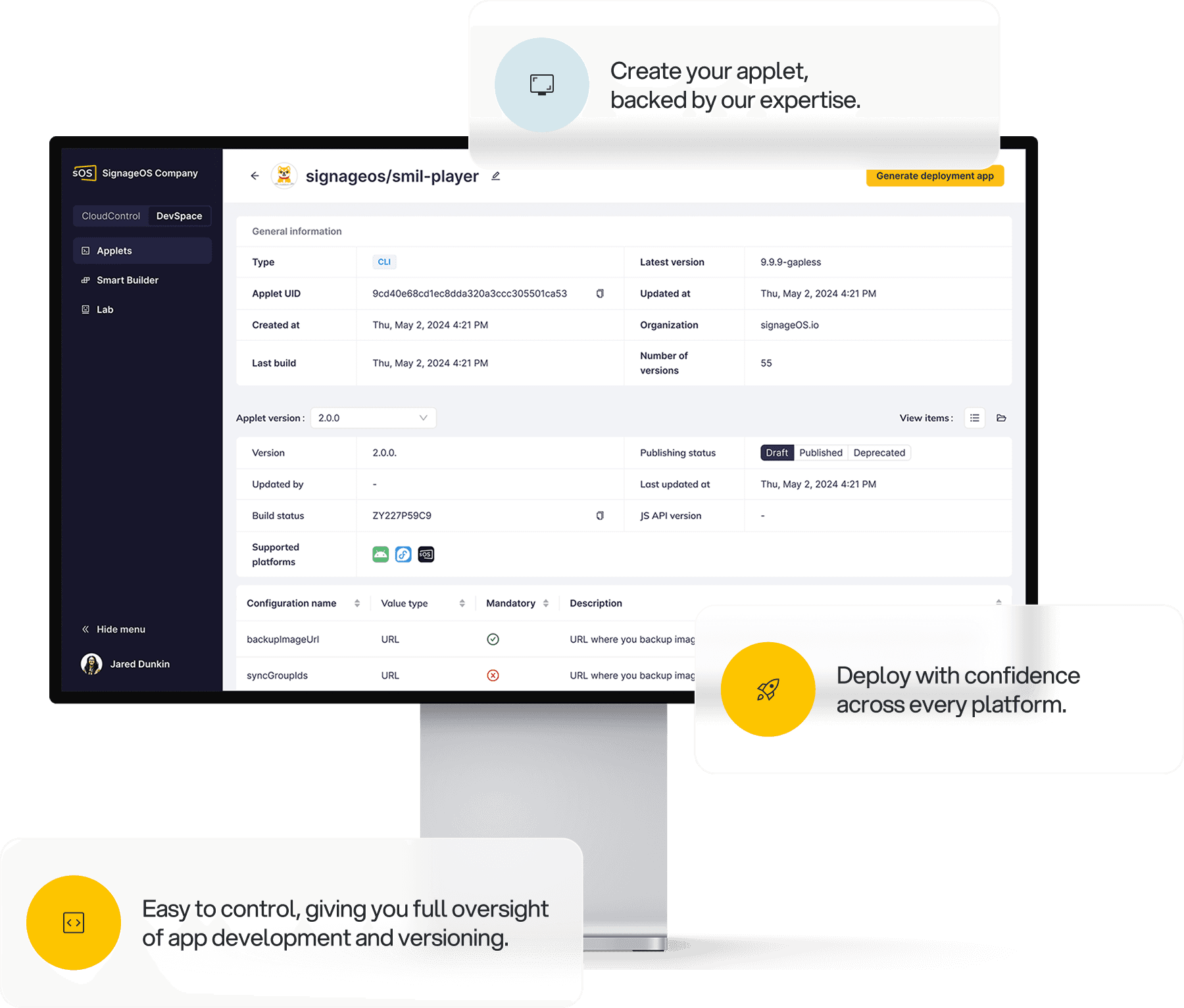
Applet version lifecycle: publish, deprecate, and renew applet versions over the API and CLI.
For more updates on the latest features, please check our Changelogs.
Meet Solution Hub: Ready-made components, ready to install
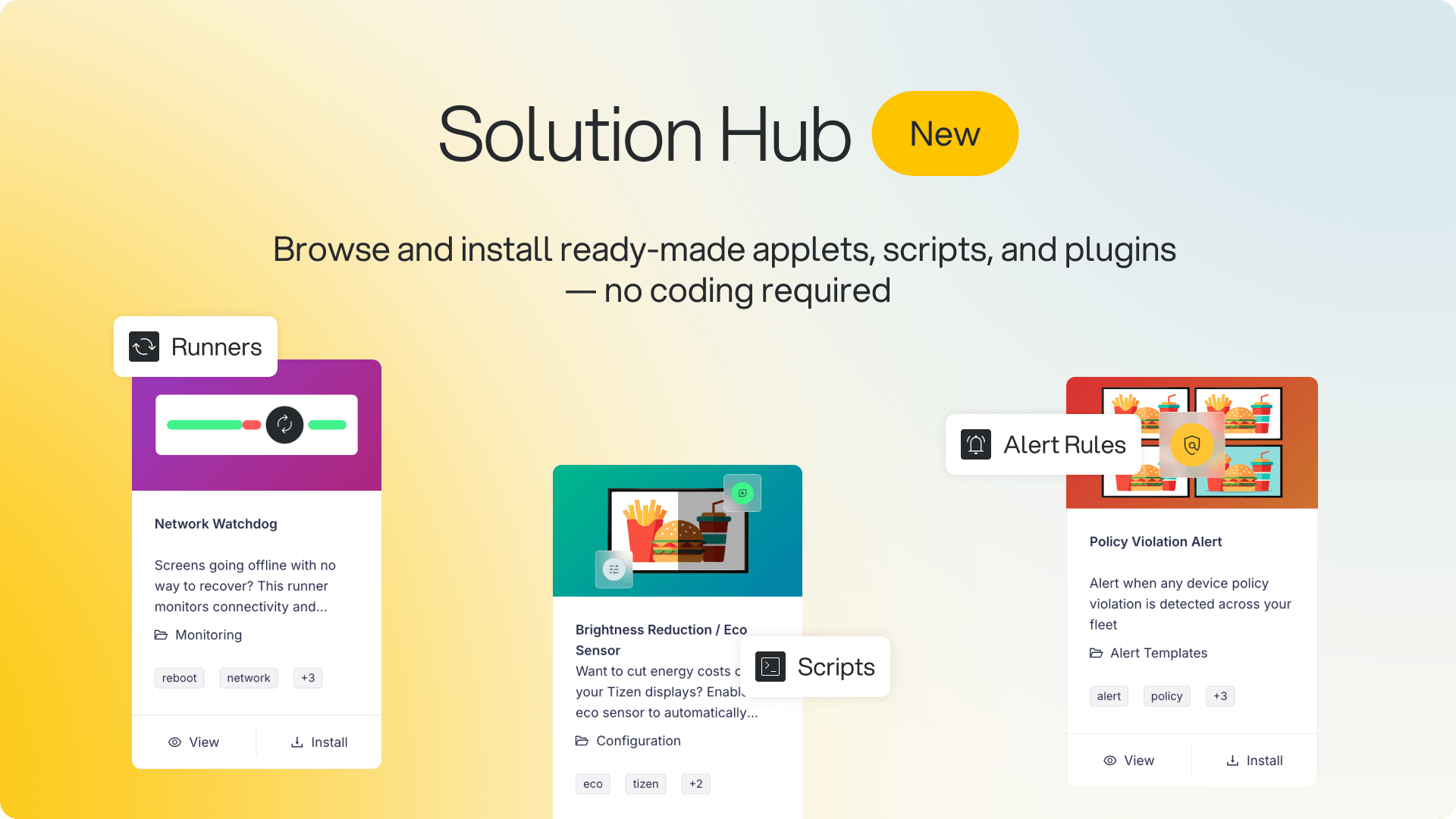
Solution Hub is a new section in signageOS Box where you can browse and install ready-made applets, scripts, plugins, runners, alert rules, and Content Guard AI templates directly into your organization, with no coding required. Open it from the sidebar, filter by type, category, or platform to see only what works with your devices, and install in a few clicks.
What you can install:
Applets — ready-to-run front-end apps like Browser, Video & Images, Stream, and Video Wall.
Scripts — device utilities such as Network Speed Test, System Info, WiFi Configuration, and Policy Enforce.
Runners and plugins — background helpers like Network Watchdog and multi-screen configuration.
Alert rules — pre-built monitoring rules you can activate in one click.
Content Guard AI templates — AI screenshot analysis that flags on-screen content which could create compliance issues.
Why it matters: Standing up a new capability used to mean building it yourself or sourcing it elsewhere. Solution Hub turns that into a browse-and-install step, and every item lists its description, supported platforms, and version, so what you add is matched to the devices you actually run — across Tizen, webOS, BrightSign, and more.
A faster device overview
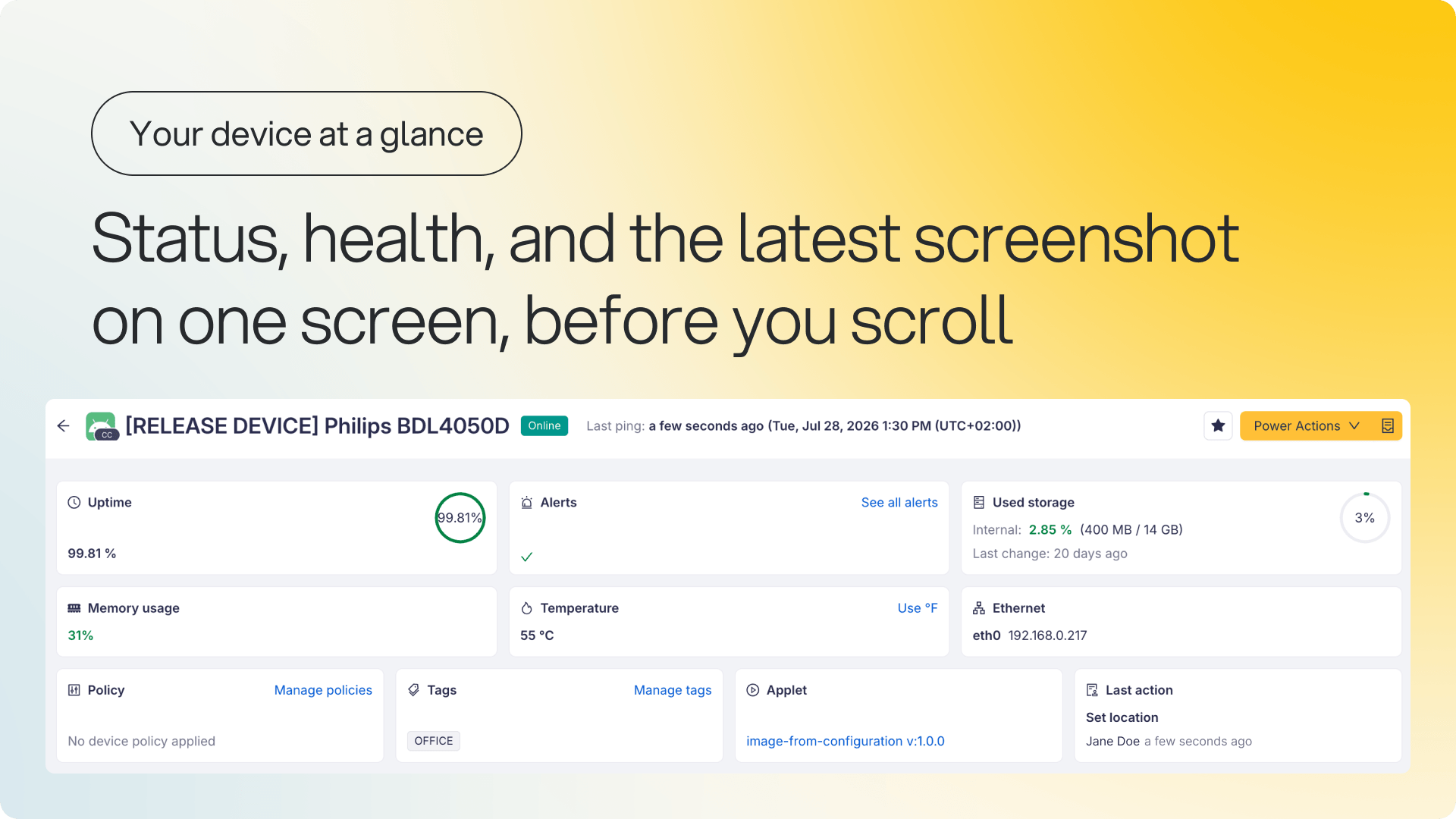
The overview at the top of the device page and the Info tab have a new layout, built for checking a device fast. Status and last ping now sit next to the device name, so you know whether a device is alive the moment the page opens, and statistics and health appear as cards you can scan and collapse. Recent screenshots run as a self-updating carousel, so you can see what a screen is actually showing without leaving the page.
Why it matters: Answering “is this device online, healthy, and showing the right thing” now takes one screen instead of several, and the numbers you read match what the device itself reports. When you need the full picture behind a value, it's one tab away in Telemetries.
Info, hardware, and connection details are grouped into separate cards on the Info tab.
Storage percentages match the device's own tools, down to a “Last change” timestamp.
A deeper view in the Telemetries tab
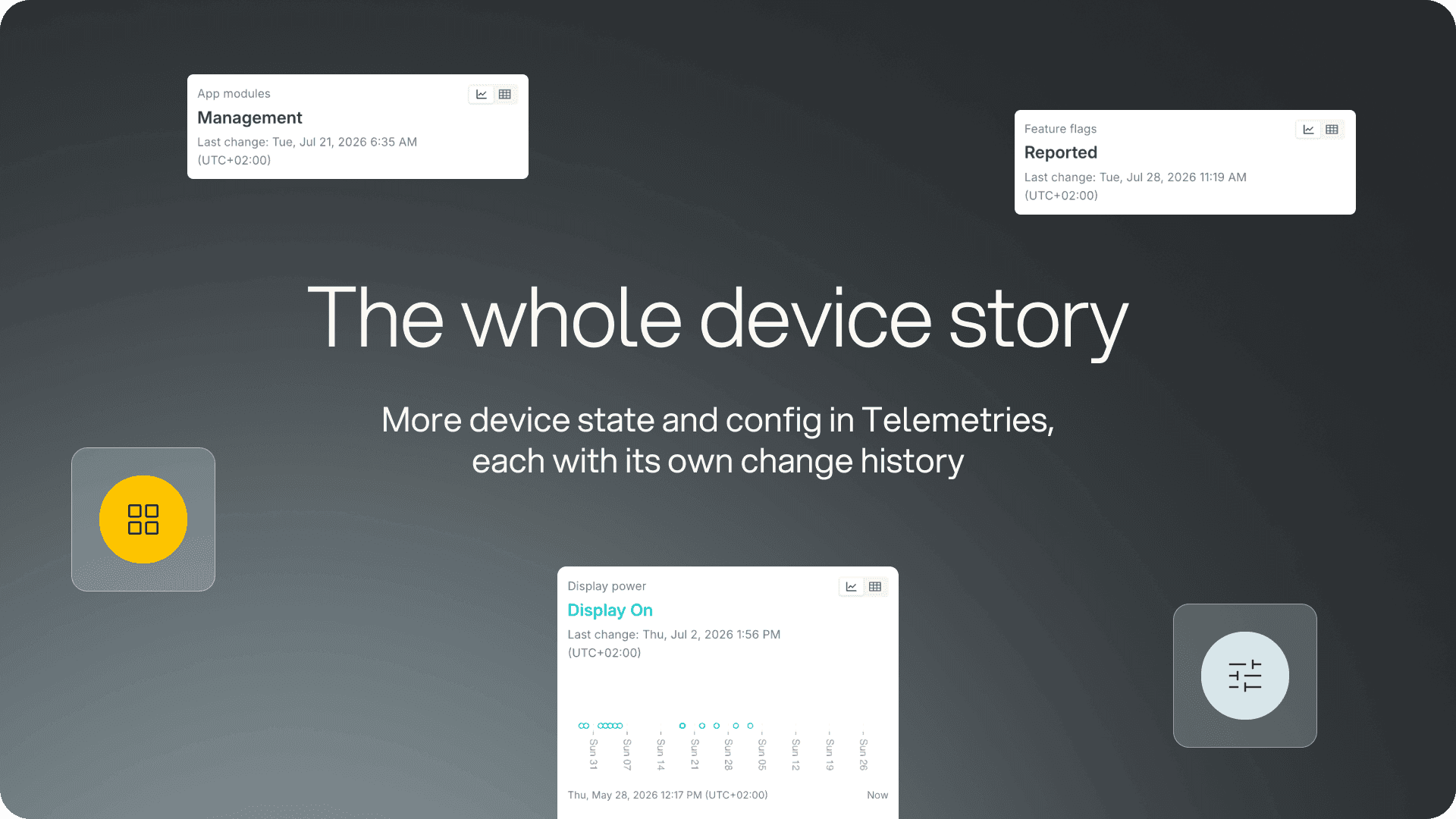
Where the overview tells you how a device is doing right now, the Telemetries tab tells you the whole story. It now covers more of a device's state and configuration: alongside the existing hardware telemetries, you can see Wi-Fi strength, orientation, resolution, Plugins, Runners, and device capabilities, each with its own change history. Telemetries are grouped more clearly and can be searched and sorted alphabetically.
Why it matters: When something looks wrong on a screen, the data you need to explain it is in one tab, and the history tells you when it started, so you can tell a one-off from a device that's been drifting for weeks.
Plugins, Runners, and device capabilities show how a device is configured, not just how it's performing.
Change history for each telemetry shows when a value last changed and what it was before.
Click through from a tag to the records using it
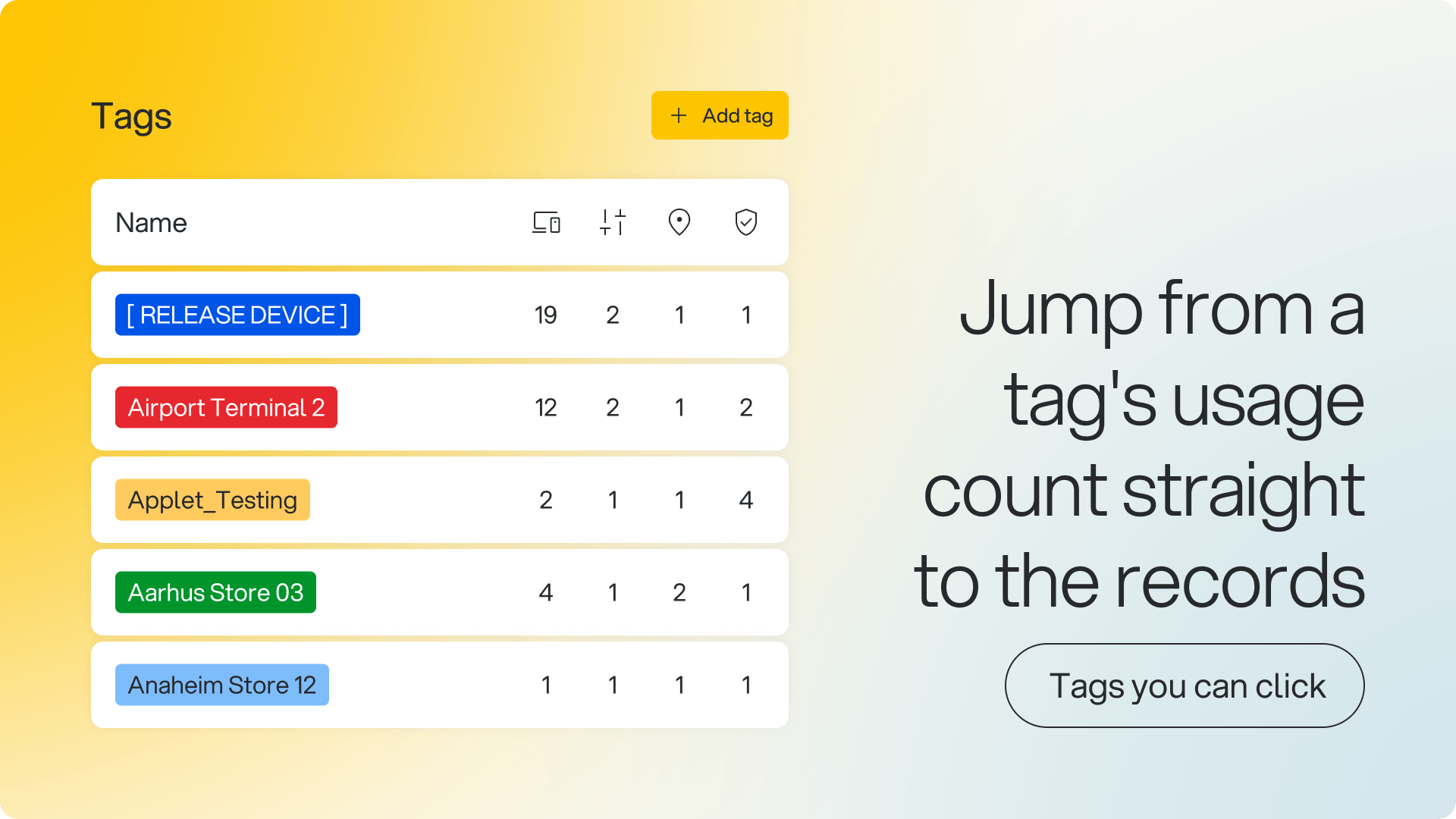
Assignment counts in the tags table are now clickable. Each tag shows separate counts for devices, policies, locations, and Content Guard items, and selecting any of them opens a filtered list of exactly those records, so checking what a tag affects, or finding the devices behind a number, takes one click instead of a manual search.
Why it matters: A tag's usage count is no longer just a number, it's a way into the records behind it. You can see which tags are doing work, which are dead weight, and exactly what a tag affects before you touch it.
Tags can now be assigned to and removed from policies, shown in policy details and lists, and used to filter policies.