Read Time:
5 min
Articles
Digital signage management has long been defined by one metric: device uptime.
If a screen is online, connected, and reporting healthy status, most teams consider it operational.
But online doesn’t mean correct.
A device can be fully functional while showing a blank screen. It can report a successful playlist while displaying a system menu. It can be “healthy” while violating brand guidelines.
As digital signage networks scale into revenue-driving infrastructure, uptime alone is no longer enough. The next evolution of digital signage management is about content integrity — and that’s where Content Guard enters the conversation.
The first era: content distribution (the CMS era)
Digital signage began as a content problem.
The initial challenge was distribution: how do you get media assets to screens across multiple locations? Content Management Systems (CMS) solved this by enabling teams to upload, schedule, and deploy playlists remotely.
In this era, success meant:
The campaign deployed.
The playlist published.
The CMS reported success.
But CMS platforms manage content workflows, not devices.
They handle:
Media assets
Scheduling logic
Campaign orchestration
They do not handle:
Device health
Operating systems
Hardware failures
Screen-level visibility
A CMS ensures content is sent. It does not guarantee what appears on the screen. As networks expanded, that distinction became critical.
The second era: device uptime
As deployments scaled, uptime became the next operational priority.
Digital signage device management platforms emerged to monitor connectivity, troubleshoot remotely, and reduce costly on-site interventions. This marked the rise of infrastructure built specifically for screens.
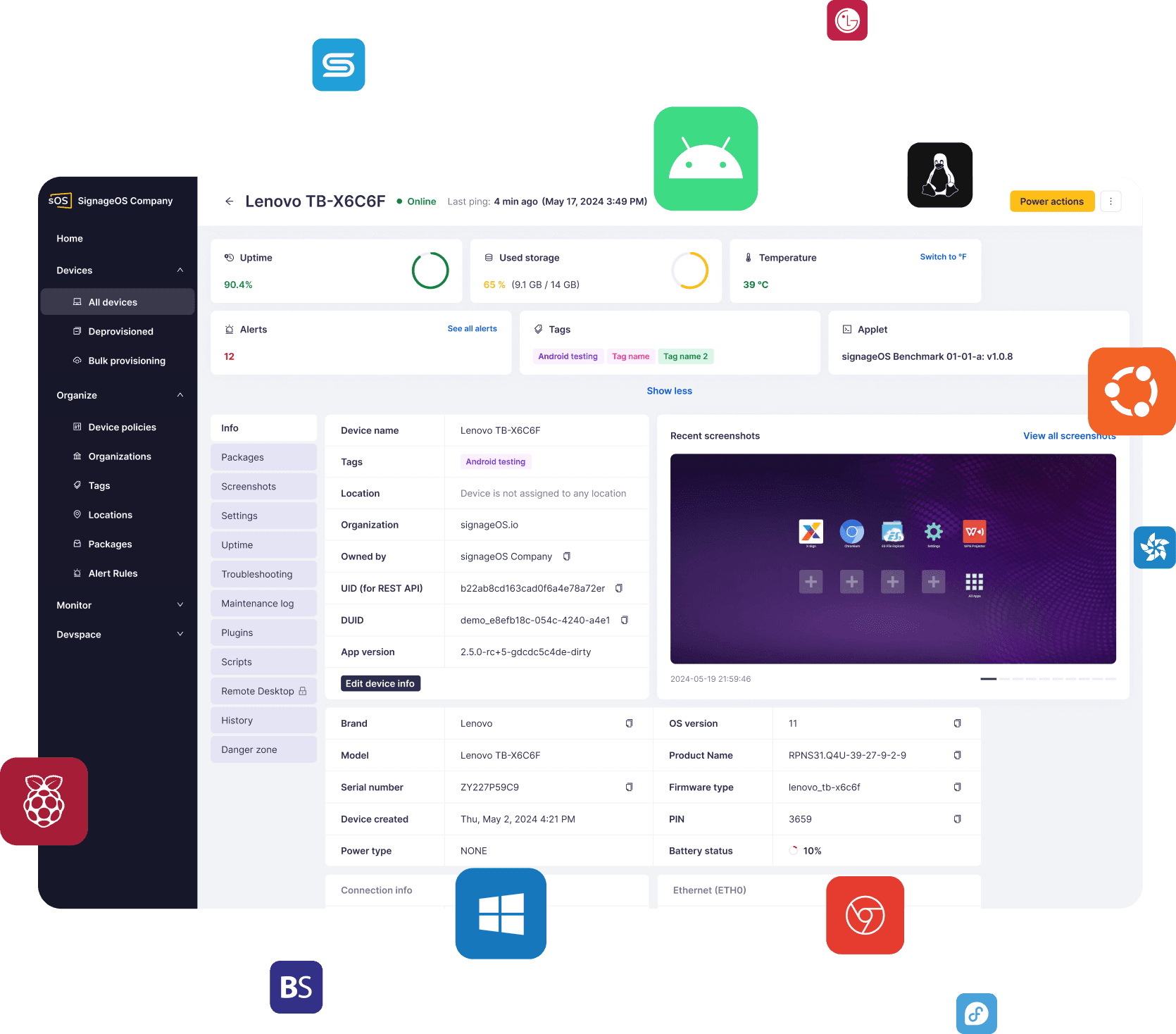
CloudControl represents this second era at its most advanced. Unlike generic IT device management tools, CloudControl was designed specifically for digital signage environments. It enables:
Real-time device monitoring
Screenshot visibility
Remote power actions
Display-specific telemetry
Hardware-agnostic fleet management
With CloudControl, teams gained control over device uptime at scale.
But even top-tier digital signage device management has a blind spot.
Uptime measures whether a device is online.
It does not measure whether the content is correct.
CloudControl
Real-time device management and monitoring for 50+ hardware platforms in a single unified tool. The single pane of glass you’ve been waiting for!
The gap between system state and visual state
A device can be:
Online
Connected
Reporting healthy status
Successfully deployed via CMS
And still display:
A blank screen
A Windows or system menu
The wrong layout
Unauthorized or suspicious content
This is the difference between system state and visual state.
System state tells you the hardware is functioning. Visual state tells you what your customers actually see. And in digital signage, the visual state defines the experience.
Why device uptime is no longer enough
Digital signage today is not experimental marketing. It is business-critical infrastructure.
It drives revenue in QSR environments. It influences purchasing decisions in retail. It delivers regulated messaging in banking and healthcare. It represents brand identity at scale.
In these environments, uptime is the baseline, not the benchmark. The benchmark is content integrity.
Content integrity means continuously validating that every screen displays exactly what it should — no more, no less. This is the transition from monitoring infrastructure to validating experience.
Introducing the third era: content integrity
As digital signage networks grow into hundreds or thousands of endpoints, manual oversight breaks.
Reviewing screenshots across large fleets:
Doesn’t scale
Introduces fatigue
Misses subtle issues
Delays detection
This is where Content Guard extends CloudControl into the third era of digital signage management.
Content Guard is the content validation layer within CloudControl. It continuously analyzes screenshots to ensure visual accuracy and brand compliance across distributed networks.
“For years, the industry measured success by screens not being black and showing some content. But today, it’s about making sure the RIGHT content reaches every screen, every time. Content integrity is the new benchmark for digital signage.”

What is content validation in digital signage?
Content validation refers to the structured, continuous analysis of on-screen output to ensure it aligns with defined expectations.
With Content Guard, this includes:
Image-based detection
AI-powered prompt-based validation
Context-aware classification
This enables teams to:
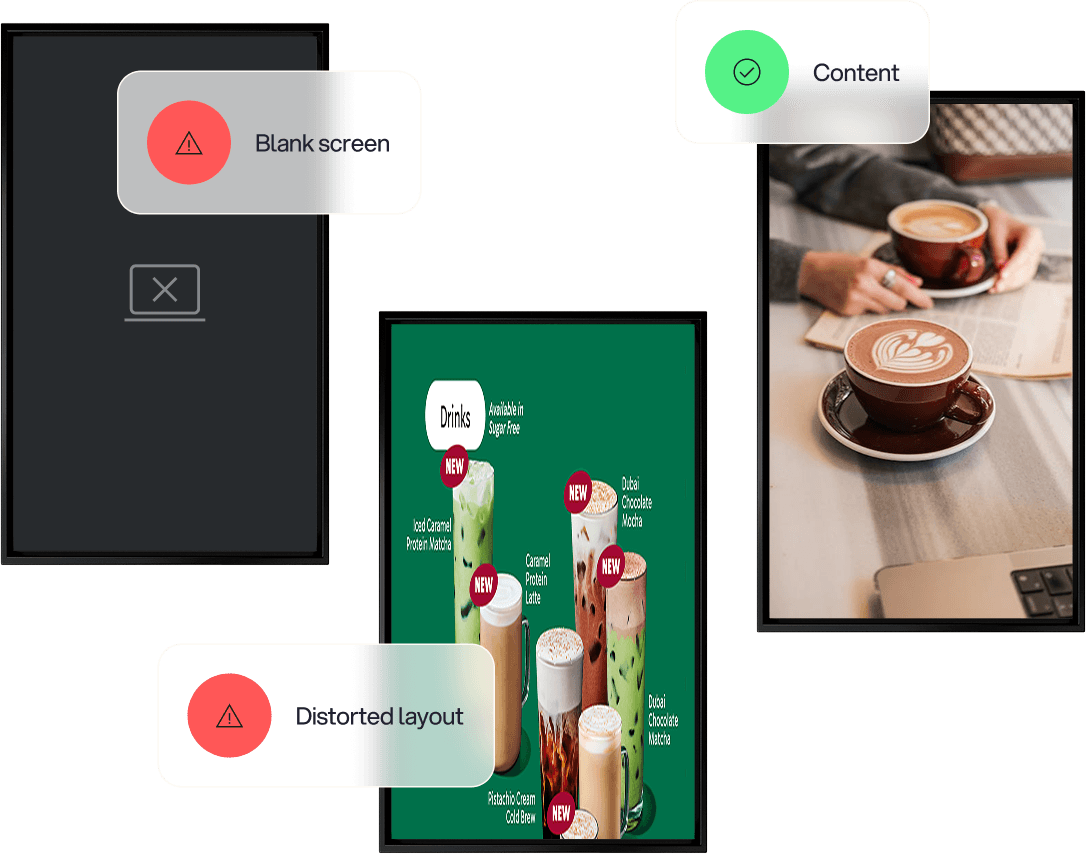
Catch blank screens
Detect system or Windows menus
Enforce brand guidelines
Flag suspicious or unauthorized content
Identify missing applets
Detect timer failures
Catch broken playlists
Content Guard moves digital signage management from passive observation to intelligent interpretation.
Content Guard
Content Guard uses AI to catch issues that would otherwise go unnoticed, detecting visual disruptions and triggering alerts to ensure consistent, reliable content across your network.
Monitoring vs. content validation
Understanding the distinction is critical.
Monitoring:
Tracks device connectivity
Confirms uptime
Provides screenshot dashboards
Relies on human review
Content validation with Content Guard:
Analyzes screenshots automatically
Classifies visual states
Detects deviations from brand rules
Identifies anomalies at scale
Reduces reliance on manual inspection
Monitoring observes but Content Guard understands. CloudControl ensures devices are operational. Content Guard ensures their output is correct.
How Content Guard enables content integrity at scale
Content Guard operates through two complementary methods:
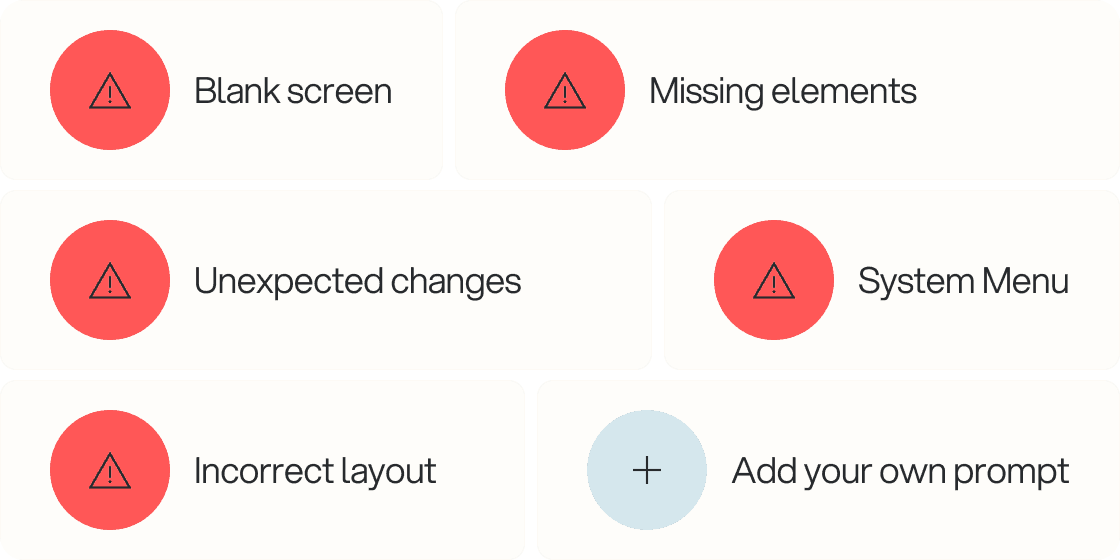
Image-based detection
Screenshots are compared against reference visuals to identify:
Missing elements
Incorrect layouts
Unexpected changes
This provides consistent validation across large networks.
Prompt-based detection
Teams can define contextual expectations, such as:
“No system menus visible.”
“Correct logo in top right corner.”
“Menu board layout intact.”
AI evaluates screenshots against these rules, enabling structured, scalable content oversight. This is how digital signage management evolves beyond uptime and into visual intelligence.
Content integrity as a competitive advantage
As networks scale, visual consistency becomes strategic. Brand consistency across 50 locations is manageable. Across 500 or 5,000, it becomes operationally complex.
Content Guard ensures:
Standardized brand presentation
Faster identification of visual issues
Reduced manual workload
Greater confidence in large deployments
In modern digital signage networks, visibility alone is not enough. Validation is the new standard.
Move beyond uptime
For years, digital signage success was measured by whether devices were online. Today, that metric is incomplete.
As screens become business-critical infrastructure, ensuring content integrity is no longer optional. It is the natural evolution of digital signage management.
CloudControl protects device uptime. Content Guard protects what appears on every screen.
If you're ready to move beyond monitoring and toward intelligent content validation, book a demo and see how CloudControl and Content Guard redefine modern digital signage infrastructure.
Move beyond monitoring and toward intelligent content validation
Discover how CloudControl and Content Guard redefine modern digital signage infrastructure.
FAQ
What is digital signage management today?
Digital signage management includes CMS content distribution, device uptime monitoring, and increasingly, content validation.
What is the difference between uptime and content integrity?
Uptime confirms devices are online. Content integrity ensures the correct, compliant content is displayed.
Why isn’t device monitoring enough?
Monitoring tracks system health but does not validate visual output. A device can be online while displaying incorrect or broken content.
What is Content Guard?
Content Guard is the content validation feature within CloudControl that continuously analyzes screenshots using image-based and AI-powered prompt-based detection.
What does Content Guard detect?
Blank screens, system menus, brand violations, suspicious content, missing applets, timer failures, and broken playlists.
Why does content validation matter at scale?
Manual screenshot review does not scale across large digital signage networks. Intelligent classification enables consistent validation across thousands of screens.
What defines the third era of digital signage?
The shift from content distribution and device uptime to continuous content integrity powered by AI-based validation.